Download your annotations
Downloading annotations is simple in QuickGraph.
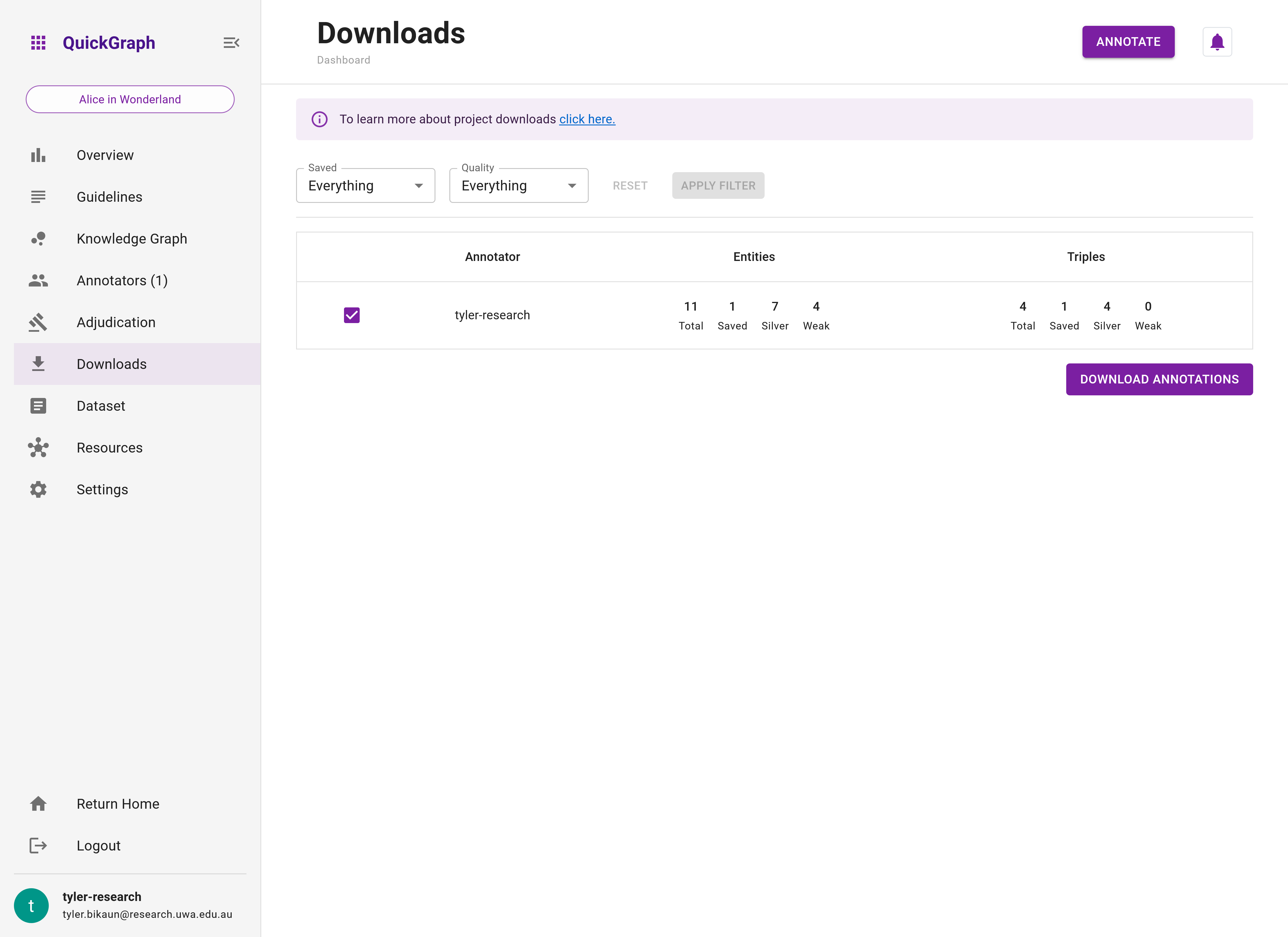
Step 1: Navigate to the Dashboard Downloads by clicking the Downloads tab in the dashboard sidebar.
Step 2: Click on the checkmark next to your username followed by clicking on the Download Annotations button on the bottom right. You will see a JSON file download commence in your browser. This contains all necessary data for downstream applications.
An example of the JSON format download is shown below.
Click here to learn more about the download functionality including filtering, gold-standard annotation compilation, output data format, and more!
Example Output
The output format for the document we annotated will look similar to the below (the other documents have been removed for brevity):
{
  "tyler-research": [
    {
      "id": "647569c70139e51c35c8659f",
      "original": "Alice was ...",
      "text": "Alice was ...",
      "tokens": ["Alice", "was", ...],
      "extra_fields": null,
      "external_id": null,
      "saved": true,
      "entities": [
        {
          "id": "64756fc30120a3a57a55f653",
          "start": 0,
          "end": 0,
          "label": "Character"
        },
        {
          "id": "647573b60139e51c35c865b8",
          "start": 59,
          "end": 59,
          "label": "Character"
        },
        {
          "id": "647576f40120a3a57a5e5a0d",
          "start": 14,
          "end": 14,
          "label": "Location"
        },
        {
          "id": "647576f70120a3a57a5e5d3f",
          "start": 31,
          "end": 31,
          "label": "Object"
        },
        {
          "id": "647576f90120a3a57a5e5fa8",
          "start": 33,
          "end": 33,
          "label": "Character"
        },
        {
          "id": "647576fe0120a3a57a5e65ae",
          "start": 55,
          "end": 55,
          "label": "Object"
        },
        {
          "id": "647578420139e51c35c865c3",
          "start": 11,
          "end": 11,
          "label": "Character"
        }
      ],
      "relations": [
        {
          "id": "64757aa60120a3a57a625934",
          "source_id": "64756fc30120a3a57a55f653",
          "target_id": "647578420139e51c35c865c3",
          "label": "Knows"
        },
        {
          "id": "64757dc50120a3a57a65b156",
          "source_id": "647576f90120a3a57a5e5fa8",
          "target_id": "647576f70120a3a57a5e5d3f",
          "label": "Possesses"
        },
        {
          "id": "64757df30120a3a57a65e349",
          "source_id": "647578420139e51c35c865c3",
          "target_id": "647576f40120a3a57a5e5a0d",
          "label": "LocatedIn"
        },
        {
          "id": "64757df70120a3a57a65e839",
          "source_id": "64756fc30120a3a57a55f653",
          "target_id": "647576f40120a3a57a5e5a0d",
          "label": "LocatedIn"
        }
      ],
      "flags": []
    },
    ...
  ]
}
Wrap Up
👏 That's all it takes to get your data out of QuickGraph. The download format integrates easily with machine learning models that require data in entity and relation formats.